
MiniHab iOS App Launch
3 min readAnnouncing MiniHab
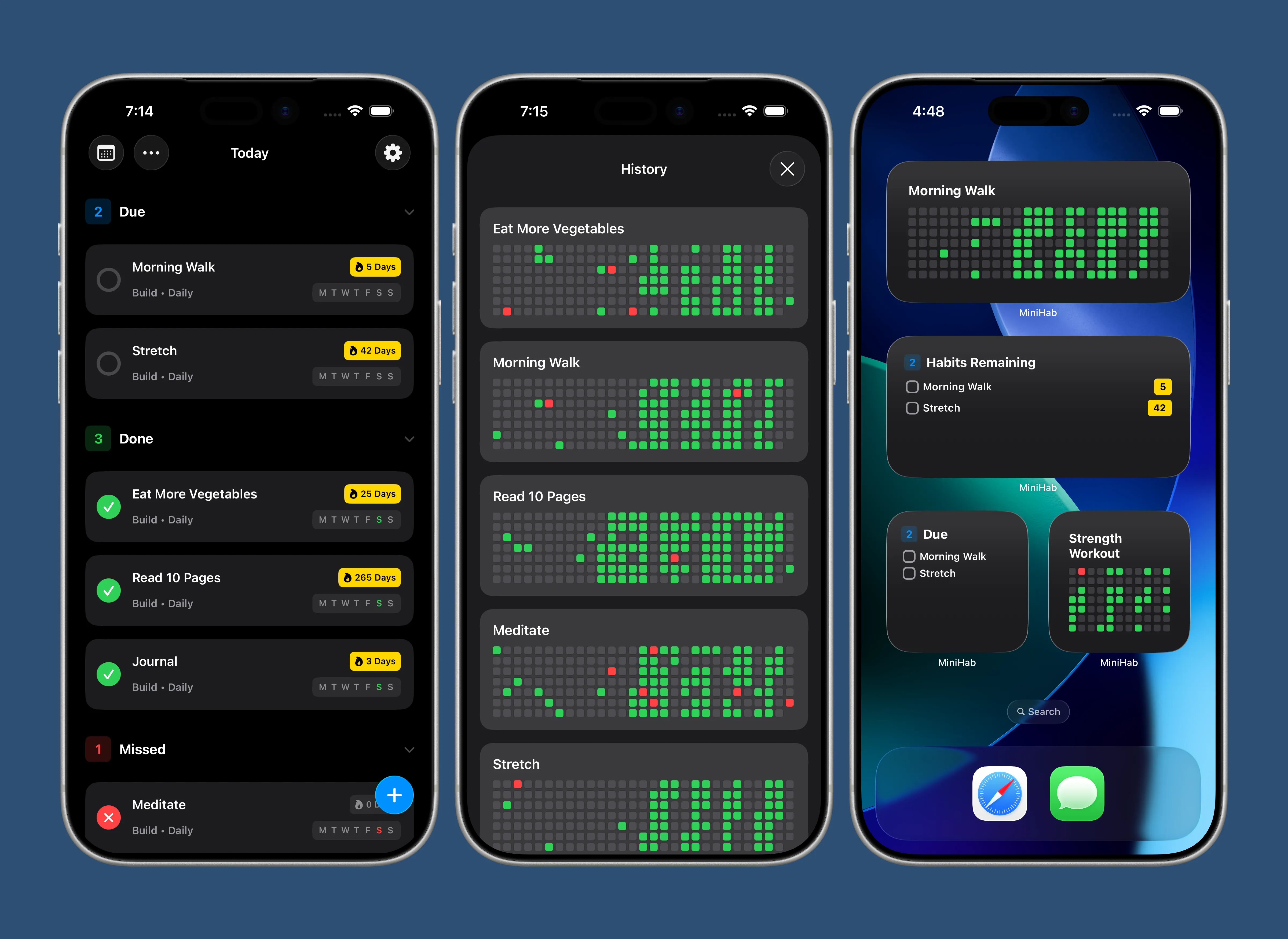
I’m launching my first iOS app in over 5 years today!
MiniHab is a super minimalist habit tracker app. It gives you access to quickly adding new habits, a historical heatmap chart of your progress over time, push notifications, a notepad, homescreen widgets, dark/light mode support, iOS 26 liquid glass design (or support for iOS 18 and older operating systems), confetti animations when you complete all of your habits, haptic feedback, a settings page for controlling various aspects of the app, and a SwiftData backed data layer with iCloud sync, so your habits are automatically synced to all of your devices.
The app also revolves around the concept of “streak tracking” - depending on the settings for each habit you must either complete it daily, X number of times per week, or on specific days to keep your streak alive.
Technology
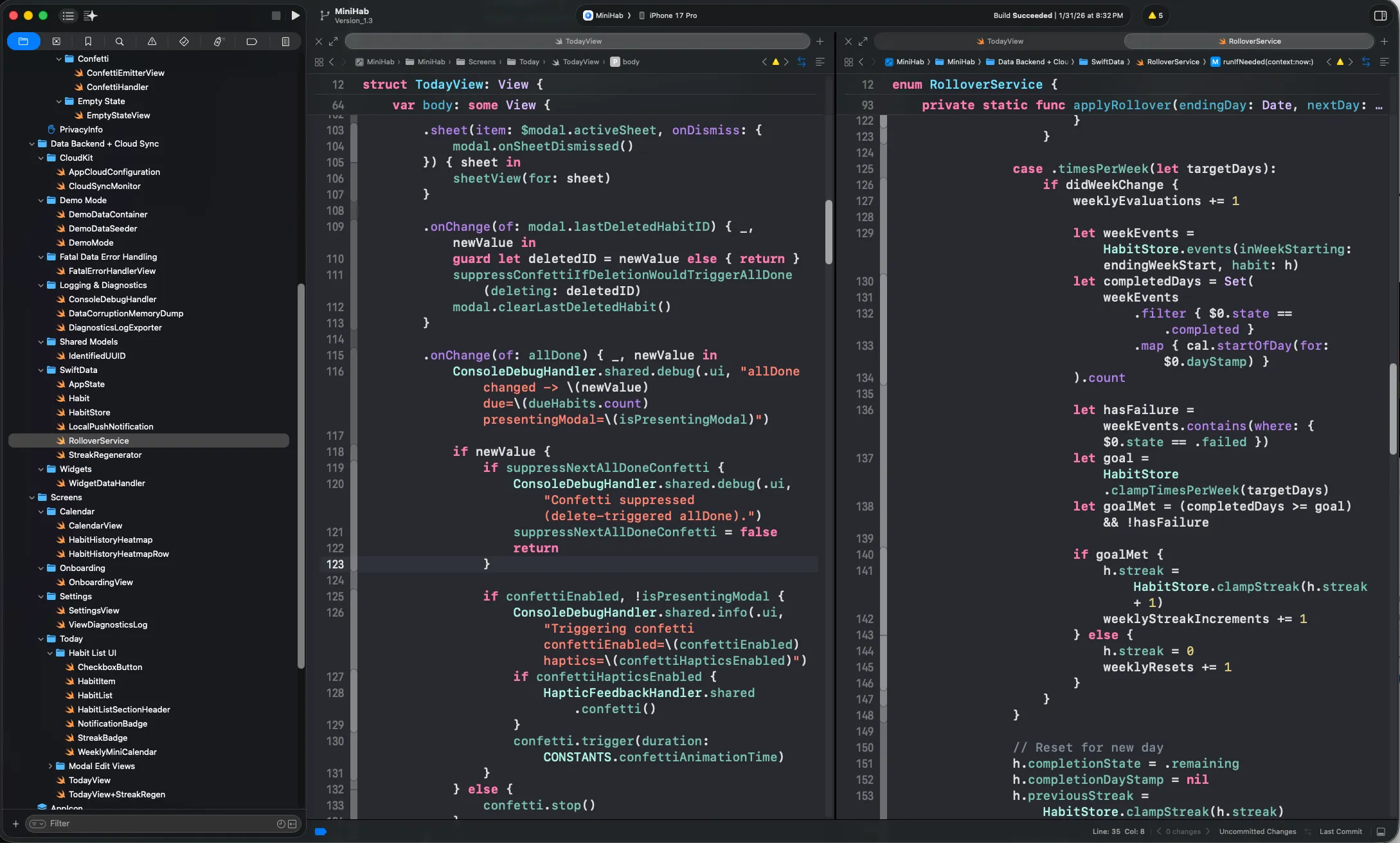
I built MiniHab using SwiftUI, this project was primarily a learning opportunity for me to learn this “new” framework (I am primarily experienced with UIKit). I wasn’t sold at first, but after using SwiftUI for a few months now I really like how easy it is to integrate a real database with iCloud sync, easy @AppStorage user defaults toggles, and manage @State and @Environment variables across the app.
SwiftUI isn’t without hurdles, I find the performance “out of the box” to be noticeably laggier than UIKit. SwiftUI uses a view diffing algorithm and you need to modularize your components and design them in a way to avoid unnecessary re-renders. I vastly prefer the way UIKit handles this (only re-draw when explicitly told) but I’m working on mastering the SwiftUI approach to maximize performance.
MiniHab uses Sentry for crash analytics, although I have disabled Sentry’s default “collect PII” (personally identifiable information). This means I am able to use Sentry to receive an automated alert whenever the app crashes (so I can fix it), but I do not see any personal information such as name, IP address, or any information about your habits. It literally just sends me the code stack trace so I can track what part of the code is crashing, without seeing any user data.
Privacy is one of my core values — I hate how modern apps and websites track and sell my data, so all of my apps (including MiniHab) are explicitly designed to avoid any kind of data collection, privacy infringements, or tracking or selling of your data.
MiniHab is launching as a completely free app - this is mostly a passion project, so there are no advertisements, in app purchases, or subscriptions. In the future I do plan to add an optional “tip jar” into the app, but this app is not intended as a source of income, mostly as a portfolio showcase project - so it’s completely free!
Also, yes there are a million habit trackers on the app store already — I built MiniHab because I wanted to build something simple and fun. However, I do have some more complex (and unique) projects in progress which will take a few months until they’re ready to showcase. I’ll share more details in the future!
Links
If you’re interested in checking out the app, you can find it on the App Store
Also, here are links to the terms of service and privacy policy.
Thanks for reading, and if you have any suggestions for the app, or run any into issues feel free to contact me.
Gavin